Say It, Snap It, Done: How AI Turns a Hive Photo Into a Complete Inspection Record
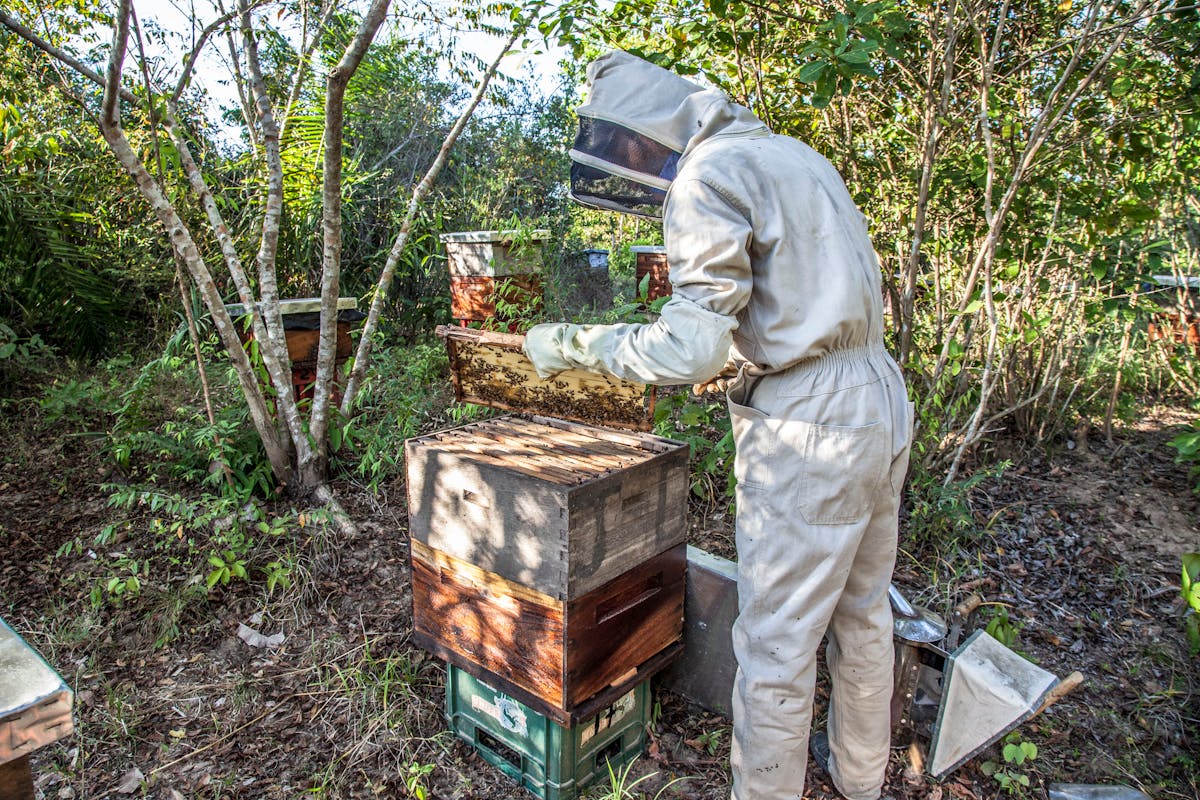
Here's what a typical hive inspection looks like for most beekeepers: pull a frame, hold it up, squint at the brood, try to remember what you're looking at, set it down, strip off a glove, grab a pen, scribble something on a sticky note that says "Hive 3 — brood ok? queen??" — and hope you can make sense of it when you get back to the house.
Now multiply that by 10 hives. In the sun. With bees on your hands.
Most inspection records are incomplete, illegible, or lost before they're useful. Not because beekeepers don't care — because the recording process fights against everything about being at the hive. Your hands are full. Your gloves are sticky. The bees aren't going to wait while you take notes.
That's the problem a voice-controlled camera with AI image analysis solves — not by adding another step, but by replacing the entire recording process with a few simple voice commands.
The Workflow: Camera, Capture, Use Photo
In BeeKeeperVoice, the inspection starts the moment you scan an NFC tag or say "start inspection, Hive 3." The app knows which hive you're in. It knows the hive's history, the queen's record, and what you found last time.
You pull a frame. You hold it up. Three voice commands, three seconds:
- "Camera" — opens the camera. Hands-free, no screen tap, no glove removal.
- "Capture" — snaps the photo.
- You glance at the shot to make sure it's good. Then: "Use photo" — saves the image to the inspection, linked to Hive 3, the current date, the queen, and the apiary.
That's it. The photo is saved to the right hive, the right inspection, the right moment in the timeline. You didn't write anything, type anything, or take off your gloves. The frame never left your hands.
Now the powerful part — turning those photos into actual hive notes:
Option 1: Analyze at the hive
Say "analyze photo" and the AI reads the image right there. It identifies capped brood, open brood, pollen stores, honey caps, empty cells, queen cells, and even the queen herself if she's visible. The AI creates hive notes from the photo — brood coverage percentage, resource levels, queen spotted or not, estimated bee population — all written into the inspection record for Hive 3 while the hive is still open. You get real-time feedback and can act on it immediately.
Option 2: Batch analysis later
If you'd rather keep moving through the yard without pausing, just capture photos on every frame and keep working. Later — back at the truck, back at the house, whenever it suits you — run a batch analysis on all the photos from that session. The AI reads every image at once and creates hive notes for every photo, updating the inspection records for every hive with the extracted data. Same results, zero interruption to your field workflow.
Either way, you didn't describe what you saw. You didn't take a single note. The AI wrote the notes for you — from the photos. And those notes are more detailed and more consistent than anything you'd write with a pen, because the AI is reading the actual image, not your memory of it.
What the AI creates from a single frame photo
Hive notes including: queen spotted (yes/no, mark color if visible), capped brood coverage (%), open brood, pollen presence and distribution, honey stores, empty cells, estimated bee population per frame side, queen cells, and visual flags for irregularities (sunken cappings, discoloration, chalkbrood). Say "analyze photo" at the hive for instant notes, or batch-analyze all photos later — same data either way. The photos become your inspection record.
What Changes When the Camera Does the Note-Taking
The biggest shift isn't the technology. It's what happens to your records when the recording process has zero friction.
You actually capture every frame
With a clipboard, most beekeepers record a summary per hive — if that. With a voice-triggered camera, you can capture every frame in the brood nest because it takes three words and a few seconds per frame: "camera," "capture," "use photo." No describing, no dictating. Say "analyze photo" on the spot for instant notes, or batch-analyze the whole session later — either way the AI reads every image and creates the hive notes for you. Over a season, that means your records aren't summaries — they're frame-by-frame visual histories with real data points. Ask Hive Command in August: "Show me Hive 3's brood photos from April through July." You'll see the colony's trajectory frame by frame, with brood coverage, queen sightings, and resource levels extracted from every single image.
Your records are consistent
Handwritten notes are subjective. "Good brood" in May might mean something different than "good brood" when you're tired in July. The AI doesn't get tired. It estimates brood coverage at 82% in May and 64% in July. Those numbers are comparable. They trend. They tell a story that words like "good" and "okay" never do.
You spot problems faster
When you say "analyze photo" at the hive, the AI can flag things you'd miss in the moment — a cluster of sunken cappings in the corner, a queen cell tucked behind a wall of bees, a pollen gap that suggests a failing queen, or a bee population estimate that's dropped since last visit. You get the flag while the hive is still open and can act on it immediately. Prefer not to pause? Capture the photos now and batch-analyze later — the AI still finds the same issues, creates the same hive notes, and the flags show up the moment you run the analysis. Either way, you didn't have to notice it yourself or write it down.
Real Scenarios: What This Looks Like in Practice
Scenario 1: Early disease detection
Scenario 2: Tracking hive strength across a season
Scenario 3: Queen problems
The Three-Way Comparison
| Capability | Clipboard + pen | Standard camera | BeeKeeperVoice |
|---|---|---|---|
| Hands-free capture | No | No — requires tap | Yes — "camera," "capture," "use photo" |
| Photo linked to hive | N/A | No — manual sorting | Automatic via NFC or voice |
| AI image analysis | N/A | None | Brood, pests, queen, stores |
| Automatic data extraction | Manual notes only | No — photo only | Queen, brood %, resources, population — from photo alone |
| Real-time feedback | None until review | None | "Analyze photo" at hive, or batch later |
| Trend tracking | Manual comparison | Not possible | Automatic across inspections |
| Searchable records | No | No | Full query by hive, date, queen, flag |
| Time per frame | 30–60 seconds | 5–10 seconds (no data) | 2–3 seconds (with data) |
| Works offline | Yes | Yes | Yes — syncs when back in range |
Safety at the Hive
This isn't just about convenience. It's about safety. Every time you set a frame down to write a note or tap a screen, you're disrupting the bees, increasing your sting risk, and adding time to an open-hive inspection. The longer the hive is open, the more stressed the colony gets. The more stressed the colony gets, the more defensive the bees become.
Voice + camera keeps the hive open for less time because you're not pausing to record. You work at a natural pace — pull a frame, "camera," "capture," review, "use photo," move on. The bees stay calmer. You stay safer. Analyze photos later if you want, and the AI creates the hive notes after the fact. You capture more data in less time than someone who stops after every frame to scribble — without writing a single word yourself.
The Bottom Line
A clipboard gives you handwriting you can't read. A standard camera gives you unsorted photos with no context. A generic chatbot gives you general advice with no knowledge of your hives.
A voice-controlled camera with AI image analysis gives you something none of those can: a complete, structured, searchable inspection record built from photos — no notes, no typing, no gloves off.
"Camera." "Capture." "Use photo." Three commands, and the image is saved to the right hive. Say "analyze photo" for instant hive notes at the hive — or batch-analyze the whole session later. Either way, the AI creates detailed notes from every photo: queen spotted, capped brood measured, resources logged, bee population estimated, problems flagged. Every photo becomes hive notes. Every note connects to a hive, a queen, a date, and a history. Every inspection makes the next one smarter. That's not a feature — it's a different way of keeping bees. And once you've worked a full season this way, you won't go back to the clipboard.
Replace the clipboard. Keep your gloves on.
Voice-controlled camera, AI image analysis, automatic data extraction, and structured hive records — built for the yard, not the desk. Free for a full month.
Download on App Store